Wednesday, October 14, 2026
Photography

A Practical Composition Guide – Patterns

06Apr
2016
Harmeet Gabha 1
A Practical Composition Guide – Patterns

[et_pb_section admin_label=”section”][et_pb_row admin_label=”row”][et_pb_column type=”4_4″][et_pb_text admin_label=”Text” background_layout=”light” text_orientation=”left” use_border_color=”off” border_color=”#ffffff” border_style=”solid”]

In continuation to my series on Composition this post is about seeing and capturing ‘Patterns’ natural or man-made. Patters are all around us so when it comes to composing images it requires a unique perspective to understand how to best capture these patterns.

How to identify and compose when you patterns capture your attention?

[/et_pb_text][/et_pb_column][/et_pb_row][et_pb_row admin_label=”Row”][et_pb_column type=”1_2″][et_pb_text admin_label=”Text” background_layout=”light” text_orientation=”left” use_border_color=”off” border_color=”#ffffff” border_style=”solid”]

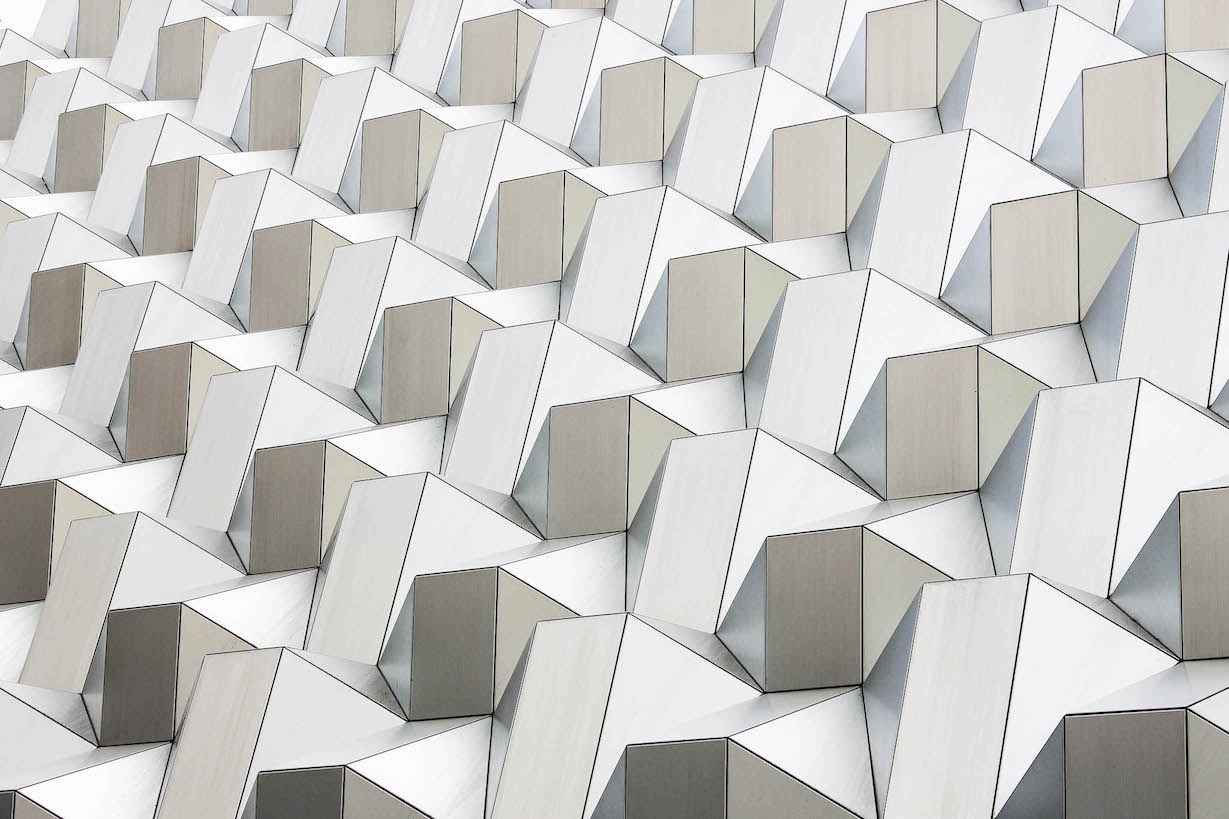
Zoom In Tight

Get rid of the distractions and zoom in tight as much as you can. By doing this you will emphasise the pattern and remove any surrounding distractions that may be there.
[/et_pb_text][/et_pb_column][et_pb_column type=”1_2″][et_pb_image admin_label=”Image” src=”https://photoinsomnia.com/wp-content/uploads/2016/03/Patterns-10.jpg” alt=”Zoom in to Patterns” title_text=”Zoom in to Patterns” show_in_lightbox=”on” url_new_window=”off” use_overlay=”on” overlay_icon_color=”#f29f1a” hover_icon=”%%51%%” animation=”off” sticky=”off” align=”center” force_fullwidth=”off” always_center_on_mobile=”on” use_border_color=”off” border_color=”#ffffff” border_style=”solid” saved_tabs=”all”] [/et_pb_image][/et_pb_column][/et_pb_row][/et_pb_section][et_pb_section admin_label=”Section” fullwidth=”off” specialty=”off” transparent_background=”off” background_color=”#ededed” allow_player_pause=”off” inner_shadow=”off” parallax=”off” parallax_method=”off” padding_mobile=”off” make_fullwidth=”off” use_custom_width=”off” width_unit=”on” make_equal=”off” use_custom_gutter=”off”][et_pb_row admin_label=”Row” make_fullwidth=”off” use_custom_width=”off” width_unit=”on” use_custom_gutter=”off” padding_mobile=”off” allow_player_pause=”off” parallax=”off” parallax_method=”off” make_equal=”off” parallax_1=”off” parallax_method_1=”off” parallax_2=”off” parallax_method_2=”off” column_padding_mobile=”on”][et_pb_column type=”1_2″][et_pb_text admin_label=”Text” background_layout=”light” text_orientation=”left” use_border_color=”off” border_color=”#ffffff” border_style=”solid”]

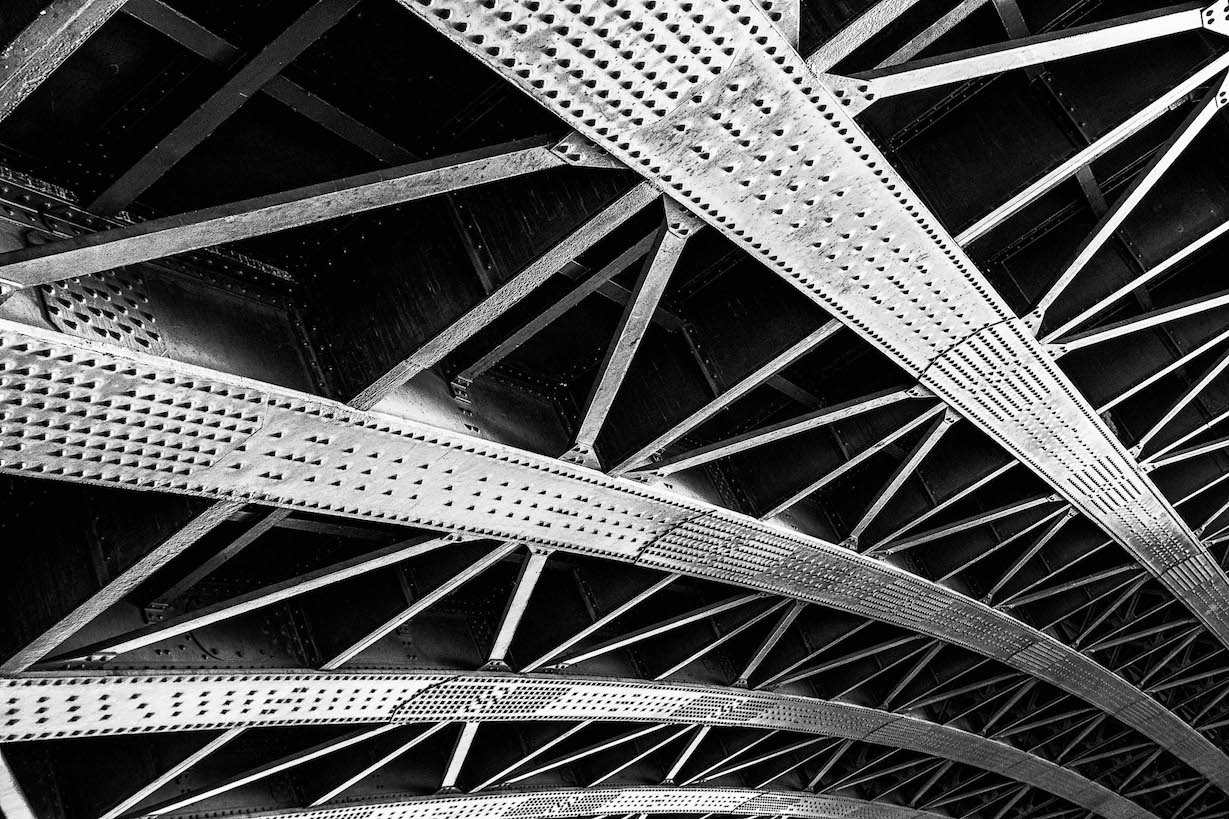
Create Perspective

Use the pattern to create perspective in image, large to smaller. Rotate your camera 45 degrees to either side to help create the perspective and depth in the image. Doing this will emphasise any leading lines and draw the viewer into the photograph.

[/et_pb_text][et_pb_divider admin_label=”Divider” color=”#ffffff” show_divider=”off” height=”115″ divider_style=”solid” divider_position=”top” hide_on_mobile=”on”] [/et_pb_divider][et_pb_image admin_label=”Image” src=”https://photoinsomnia.com/wp-content/uploads/2016/04/Patterns-6.jpg” alt=”Perspective and Depth” title_text=”Perspective and Depth” show_in_lightbox=”on” url_new_window=”off” use_overlay=”on” overlay_icon_color=”#f29f1a” hover_icon=”%%51%%” animation=”off” sticky=”off” align=”center” force_fullwidth=”off” always_center_on_mobile=”on” use_border_color=”off” border_color=”#ffffff” border_style=”solid” saved_tabs=”all”] [/et_pb_image][/et_pb_column][et_pb_column type=”1_2″][et_pb_image admin_label=”Image” src=”https://photoinsomnia.com/wp-content/uploads/2016/03/Patterns-5.jpg” alt=”Perspective and Depth” title_text=”Perspective and Depth” show_in_lightbox=”on” url_new_window=”off” use_overlay=”on” overlay_icon_color=”#f29f1a” hover_icon=”%%51%%” animation=”off” sticky=”off” align=”center” force_fullwidth=”off” always_center_on_mobile=”on” use_border_color=”off” border_color=”#ffffff” border_style=”solid” saved_tabs=”all”] [/et_pb_image][et_pb_image admin_label=”Image” src=”https://photoinsomnia.com/wp-content/uploads/2016/03/Patterns-9.jpg” alt=”Perspective and Depth” title_text=”Perspective and Depth” show_in_lightbox=”on” url_new_window=”off” use_overlay=”on” overlay_icon_color=”#f29f1a” hover_icon=”%%51%%” animation=”off” sticky=”off” align=”center” force_fullwidth=”off” always_center_on_mobile=”on” use_border_color=”off” border_color=”#ffffff” border_style=”solid” saved_tabs=”all”] [/et_pb_image][/et_pb_column][/et_pb_row][/et_pb_section][et_pb_section admin_label=”Section” fullwidth=”off” specialty=”off”][et_pb_row admin_label=”Row”][et_pb_column type=”1_3″][et_pb_code admin_label=”Code” global_module=”2849″ saved_tabs=”all”]<script async src=”//pagead2.googlesyndication.com/pagead/js/adsbygoogle.js”></script> <!– Auto Size 1 –> <ins class=”adsbygoogle” style=”display:block” data-ad-client=”ca-pub-6718175878321769″ data-ad-slot=”8428061439″ data-ad-format=”auto”></ins> <script> (adsbygoogle = window.adsbygoogle || []).push({}); </script>[/et_pb_code][/et_pb_column][et_pb_column type=”2_3″][et_pb_text admin_label=”Text” background_layout=”light” text_orientation=”left” use_border_color=”off” border_color=”#ffffff” border_style=”solid”]

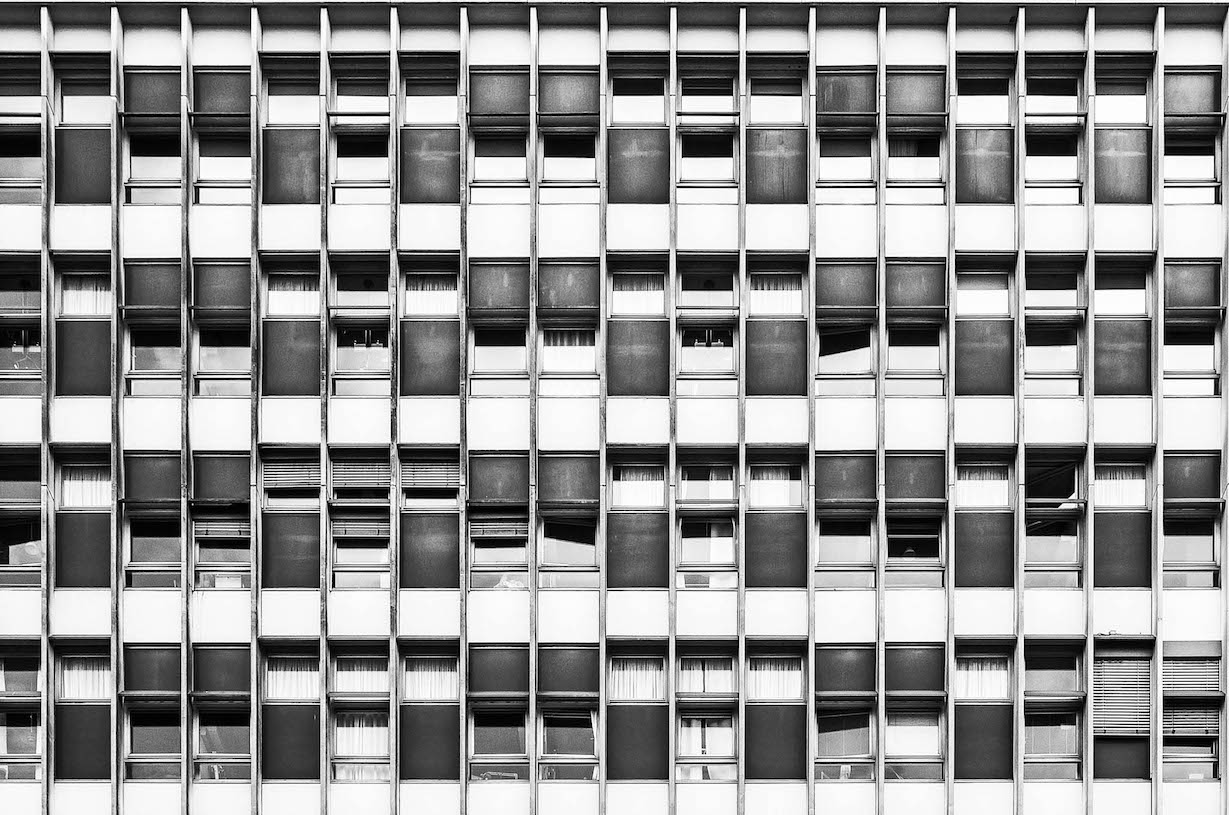
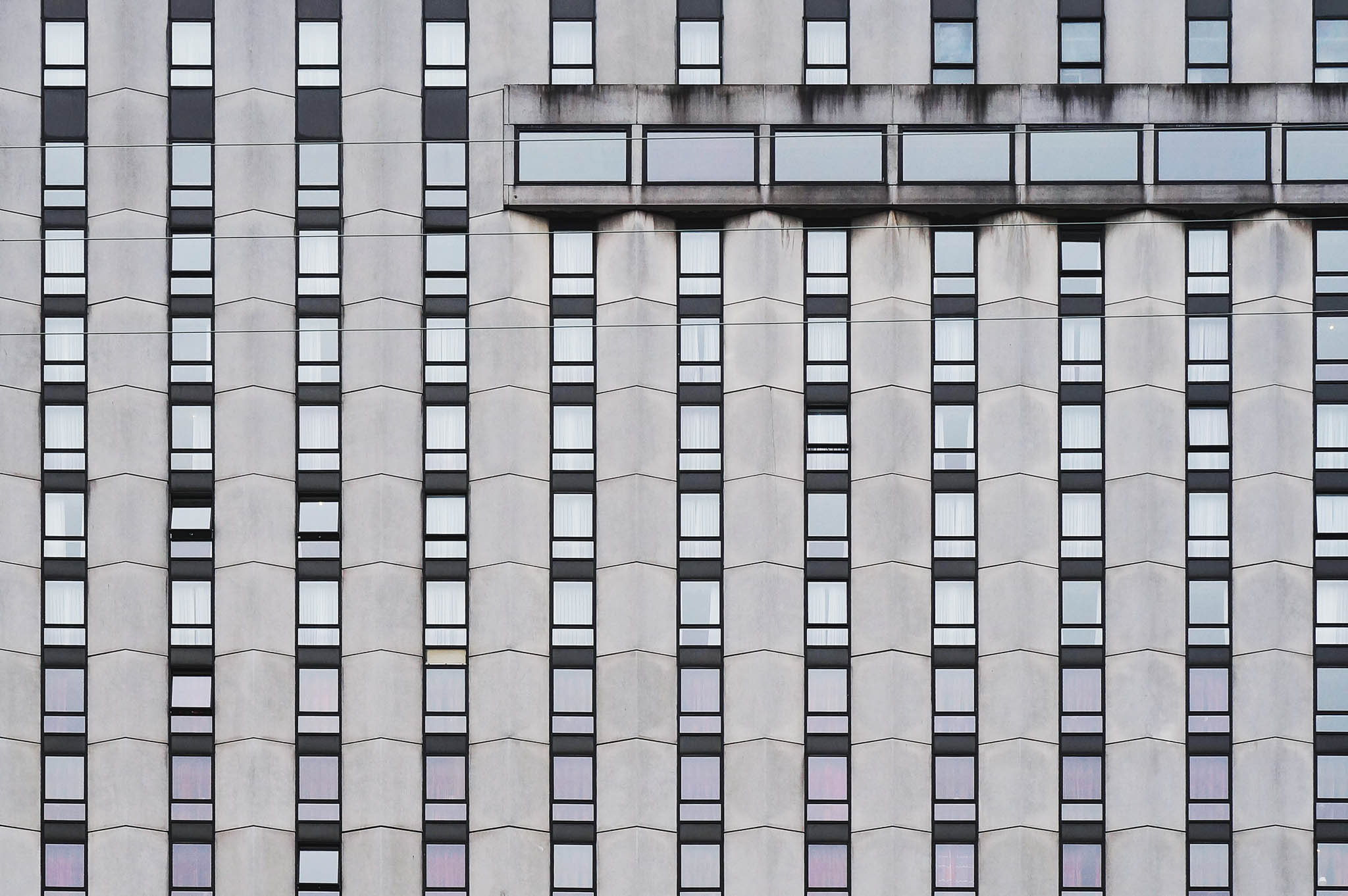
Break in Pattern

Another technique is to look for a break in pattern when you do see a nice pattern appearing. Below is a great example of such situation where the break in pattern creates a fantastic composition.
[/et_pb_text][et_pb_image admin_label=”Image” src=”https://photoinsomnia.com/wp-content/uploads/2016/04/pattern-interrupted.jpg” alt=”Break in Patterns” title_text=”Break in Patterns” show_in_lightbox=”on” url_new_window=”off” use_overlay=”on” overlay_icon_color=”#f29f1a” hover_icon=”%%51%%” animation=”off” sticky=”off” align=”center” force_fullwidth=”off” always_center_on_mobile=”on” use_border_color=”off” border_color=”#ffffff” border_style=”solid” saved_tabs=”all”] [/et_pb_image][/et_pb_column][/et_pb_row][et_pb_row admin_label=”Row”][et_pb_column type=”1_2″][et_pb_text admin_label=”Text” background_layout=”light” text_orientation=”left” use_border_color=”off” border_color=”#ffffff” border_style=”solid”]

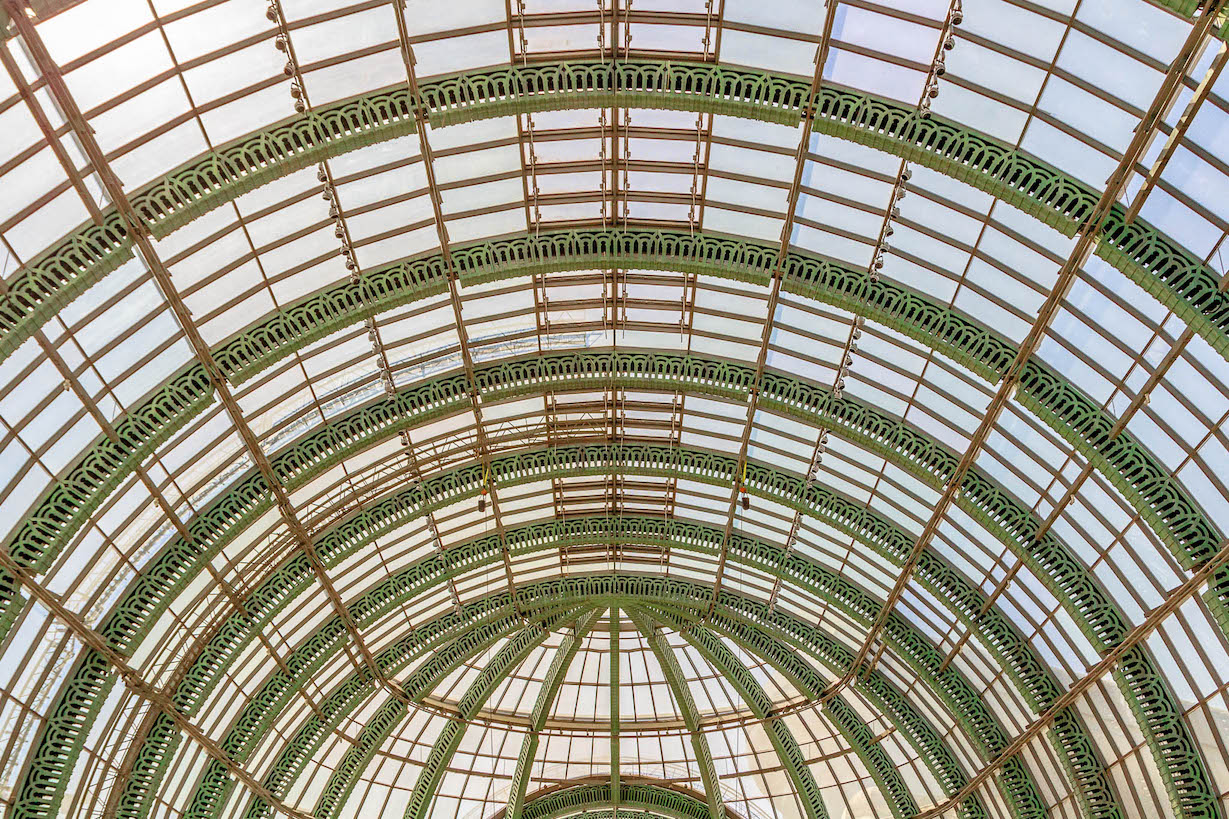
Combine both pattern and symmetry!! There is nothing that says you can’t combine the two, in fact these two work very well together. Just see the following examples where pattern and symmetry work nicely to create great images.

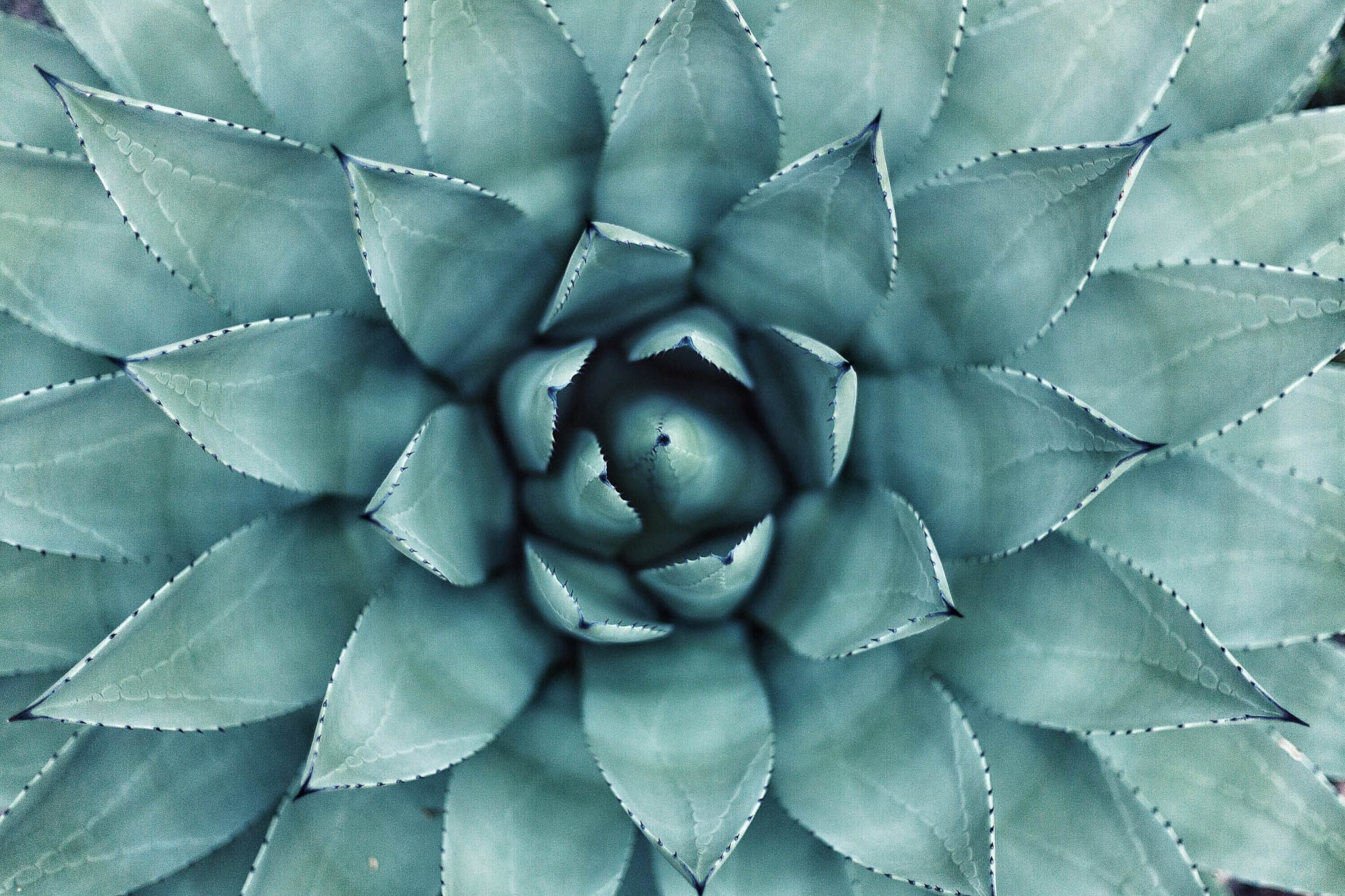
Nature also provides us some great looking patterns and symmetry can be used to accentuate them.

Hope you found this post useful and gives you inspiration for creating some amazing images. Be sure to share your comment and spread the word!!

[/et_pb_text][et_pb_image admin_label=”Image” src=”https://photoinsomnia.com/wp-content/uploads/2016/04/symmetry-pattern.jpg” alt=”Symmetry and Pattern” title_text=”Symmetry and Pattern” show_in_lightbox=”on” url_new_window=”off” use_overlay=”on” overlay_icon_color=”#f29f1a” hover_icon=”%%51%%” animation=”off” sticky=”off” align=”center” force_fullwidth=”off” always_center_on_mobile=”on” use_border_color=”off” border_color=”#ffffff” border_style=”solid” saved_tabs=”all”] [/et_pb_image][/et_pb_column][et_pb_column type=”1_2″][et_pb_image admin_label=”Image” src=”https://photoinsomnia.com/wp-content/uploads/2016/03/Patterns-2.jpg” alt=”Symmetry and Pattern” title_text=”Symmetry and Pattern” show_in_lightbox=”on” url_new_window=”off” use_overlay=”on” overlay_icon_color=”#f29f1a” hover_icon=”%%51%%” animation=”off” sticky=”off” align=”center” force_fullwidth=”off” always_center_on_mobile=”on” use_border_color=”off” border_color=”#ffffff” border_style=”solid” saved_tabs=”all”] [/et_pb_image][et_pb_image admin_label=”Image” src=”https://photoinsomnia.com/wp-content/uploads/2016/04/symmetry-pattern-2.jpg” alt=”Symmetry and Pattern” title_text=”Symmetry and Pattern” show_in_lightbox=”on” url_new_window=”off” use_overlay=”on” overlay_icon_color=”#f29f1a” hover_icon=”%%51%%” animation=”off” sticky=”off” align=”center” force_fullwidth=”off” always_center_on_mobile=”on” use_border_color=”off” border_color=”#ffffff” border_style=”solid” saved_tabs=”all”] [/et_pb_image][/et_pb_column][/et_pb_row][/et_pb_section]

1 Comment

Leave a Reply

Your email address will not be published. Required fields are marked *

This site uses Akismet to reduce spam. Learn how your comment data is processed.

Pin It on Pinterest

Spread the Word

Thanks for visiting my blog. Please spread the word and share this post with your friends!!