




Lightroom CC/6 – Free HDR Presets
2015
 Harmeet Gabha

[et_pb_section fb_built=”1″ admin_label=”section” _builder_version=”3.22″][et_pb_row admin_label=”row” _builder_version=”3.25″ background_size=”initial” background_position=”top_left” background_repeat=”repeat”][et_pb_column type=”4_4″ _builder_version=”3.25″ custom_padding=”|||” custom_padding__hover=”|||”][et_pb_text _builder_version=”4.4.4″ background_size=”initial” background_position=”top_left” background_repeat=”repeat”]
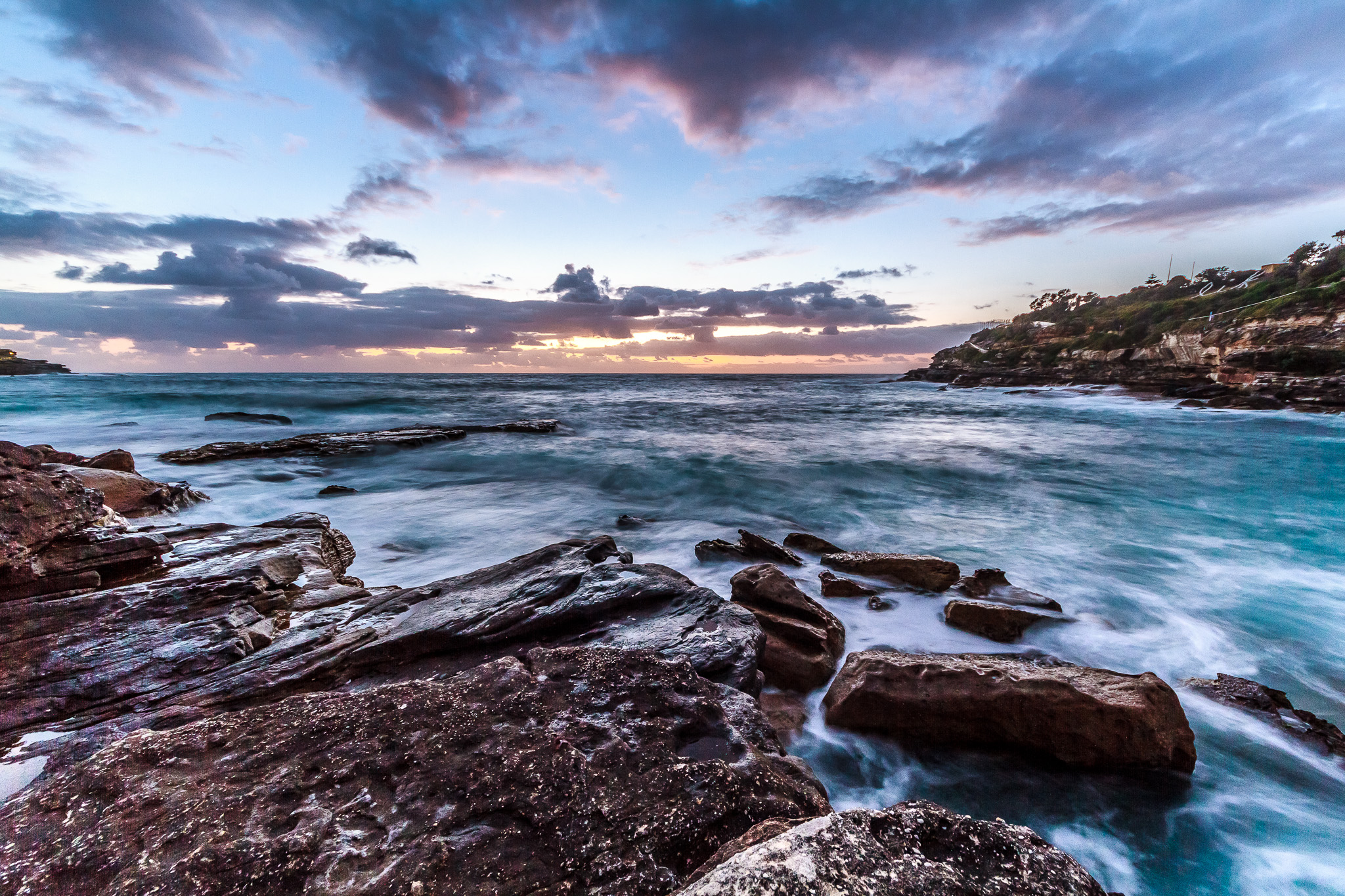
With the recent release of Lightroom CC or 6, I have retested my most popular and still Free HDR presets for Lightroom. Here are some of the before and after shots processed in Lightroom CC with these presets
Punchy HDR
My very first and most popular HDR preset for Lightroom still producing great images with just a click of a button.


Afternoon HDR
Second one in the line up of my Free presets, this one is specifically suited for bright day and over-head lighting preset.


Download
Subscribe to my email list to receive a complete list of my free presets you can download and enjoy them in Lightroom. If you liked the free presets, please do check out my premium presets here
[/et_pb_text][et_pb_signup provider=”mailerlite” mailerlite_list=”Harmeet Gabha|10478560″ first_name_field=”off” last_name_field=”off” title=”Subscribe To Get the Goodies” description=”
After subscribing, look out for an email containing download links in your Inbox.
” _builder_version=”4.4.4″ border_radii=”on|15px|15px|15px|15px” global_module=”30126″ saved_tabs=”all”][/et_pb_signup][et_pb_social_media_follow follow_button=”on” _builder_version=”3.0.87″ link_shape=”rounded_rectangle”][et_pb_social_media_follow_network social_network=”facebook” url=”https://facebook.com/photoinsomnia” _builder_version=”3.0.74″ background_color=”#3b5998″ bg_color=”#3b5998″ link_shape=”rounded_rectangle” follow_button=”on” url_new_window=”on”] facebook [/et_pb_social_media_follow_network][et_pb_social_media_follow_network social_network=”google-plus” url=”https://plus.google.com/+HarmeetGabha” _builder_version=”3.0.74″ background_color=”#dd4b39″ bg_color=”#dd4b39″ link_shape=”rounded_rectangle” follow_button=”on” url_new_window=”on”] Google+ [/et_pb_social_media_follow_network][et_pb_social_media_follow_network social_network=”instagram” url=”https://instagram.com/harmeetgabha” _builder_version=”3.0.74″ background_color=”#517fa4″ bg_color=”#517fa4″ link_shape=”rounded_rectangle” follow_button=”on” url_new_window=”on”] Instagram [/et_pb_social_media_follow_network][et_pb_social_media_follow_network social_network=”twitter” url=”https://twitter.com/harmeetgabha” _builder_version=”3.0.74″ background_color=”#00aced” bg_color=”#00aced” link_shape=”rounded_rectangle” follow_button=”on” url_new_window=”on”] Twitter [/et_pb_social_media_follow_network][/et_pb_social_media_follow][et_pb_text _builder_version=”4.4.4″]
The secret revealed – How to Create HDR from Single Image?
Recently I created a video that shows you how to create HDR image from one Single Image in Lightroom. Learn the secret and create your own HDR Presets.
[/et_pb_text][/et_pb_column][/et_pb_row][/et_pb_section]


4.5
5
5